Agent Skill
Create Your Deck With Gamma
Gamma is the slide tool I reach for. Once the skill has written your deck, here's how you turn that copy into actual slides.
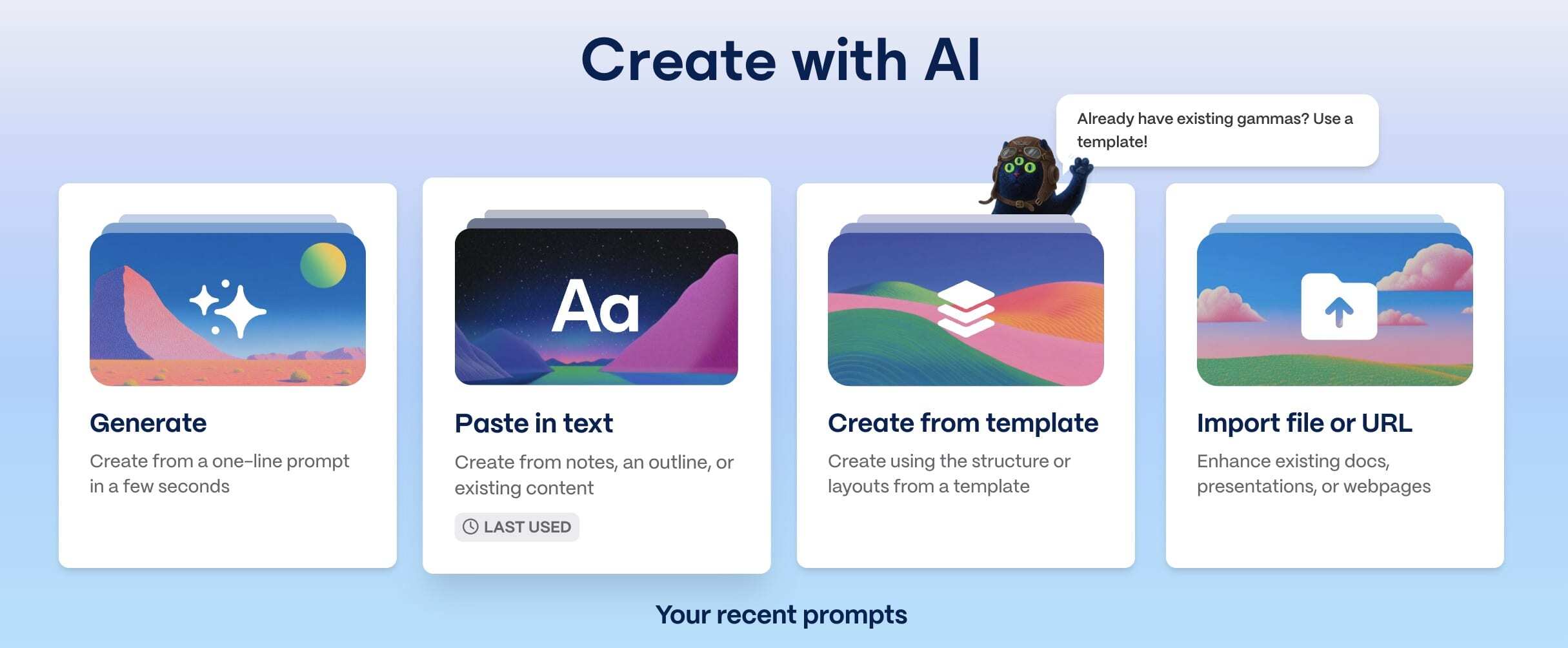
Step 1: Choose Paste in text
In Gamma, start a new project with Create with AI, then pick Paste in text.
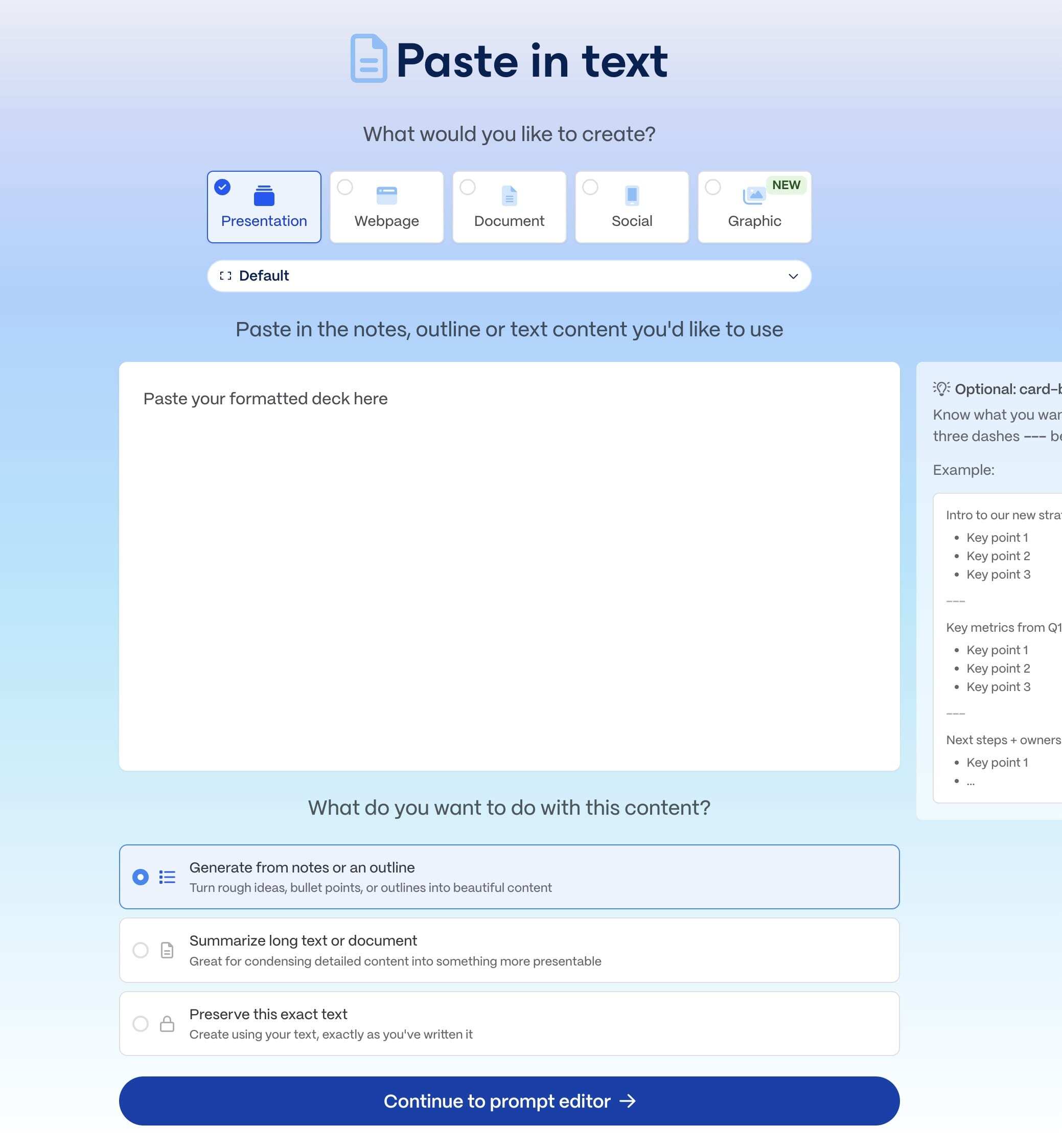
Step 2: Paste your deck
Choose your format, then paste in the deck the skill wrote for you. Under what to do with the content, pick Generate from notes or an outline, then continue to the prompt editor.
That's the option I use. I like to keep the visuals in my decks light, and this setting gives Gamma room to lay things out without crowding each slide.
Step 3: Set Freeform, then create
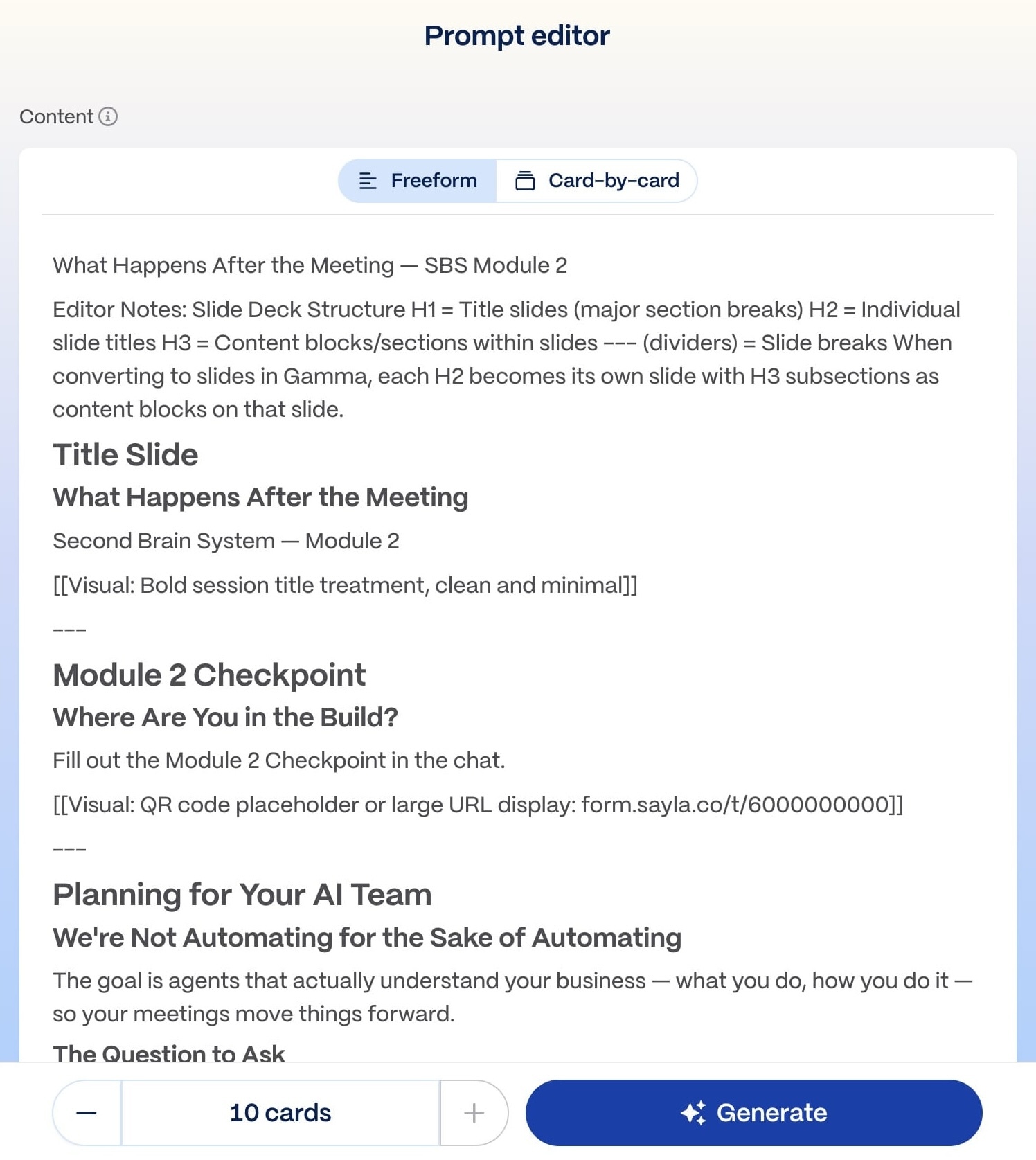
At the top of the prompt editor, choose Freeform (not Card-by-card). Freeform takes your full deck and slices it into cards for you. Card-by-card is the manual route, where you add content one card at a time, which you only want if you're building each slide by hand.
From there, your visual notes come through exactly as you pasted them, and Gamma does its best to create those visuals the way you described. Pick how much text you want on each slide and how many cards, then hit Generate.